Closeout

Punch list and closeout software for architects

The punch list, record drawings, O&M manuals, warranties, lien releases and the Substantial Completion date, gathered under Closeout. The contractor submits; you review and decide.

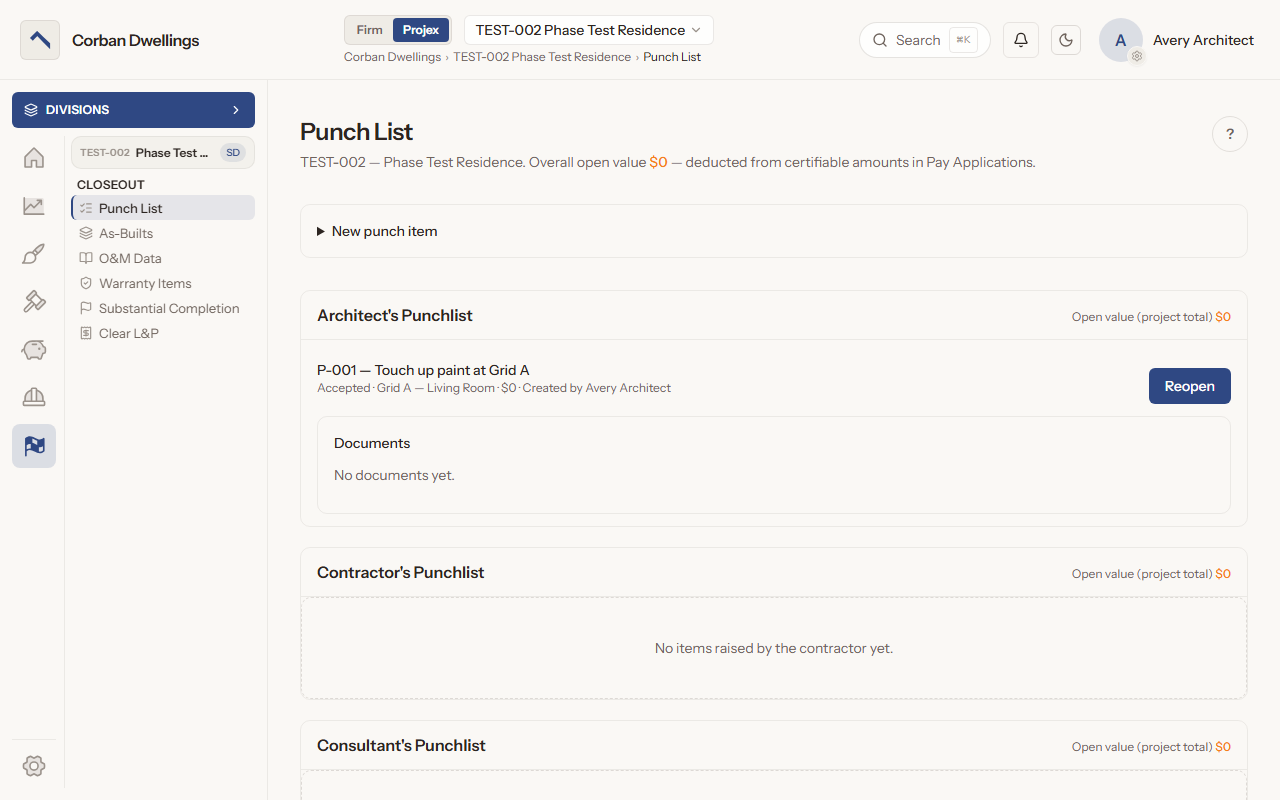
The Punch List on a sample project, with an accepted item under the Architect's Punchlist heading and the Closeout menu listing As-Builts, O&M Data, Warranty Items, Substantial Completion and Clear L&P.

What it does

What Punch List and Closeout does

A punch list for architect, contractor, consultant and owner

Add an item with a description, a location, a value and photos. It lands under the heading of the side that raised it, such as "Architect's Punchlist" or "Contractor's Punchlist", and either side presses "Mark completed" when the work is done.
Accept punch items and hold back their value

The architect side presses "Accept" on completed work, or "Reopen" when it is not done. The open value of the list is deducted from what can be certified in pay applications; contractors and consultants see the items but not the values.

Review as-builts, O&M manuals and warranties

The contractor submits record drawings, operation and maintenance manuals and warranties. You press "Begin review" and decide: Approve, Approve as noted, Revise & resubmit or Reject, then close the item.

Send closeout documents to a consultant

Send an as-built, O&M manual or warranty to a consultant on the project. They review it and add their notes, and you make the decision.

Track lien releases at closeout

In Clear L&P the contractor submits the lien-free and payment release certificates, and the architect reviews, approves and closes each one.

Set the substantial completion date

Entering the official date stops the construction day count and the Liquidated Damages clock. ARK warns how many RFIs, submittals and change items are still open, and "Close them now" closes them when you save.

Punch List and Closeout on screen

Real screens from the sample firm every new ARK workspace starts with.

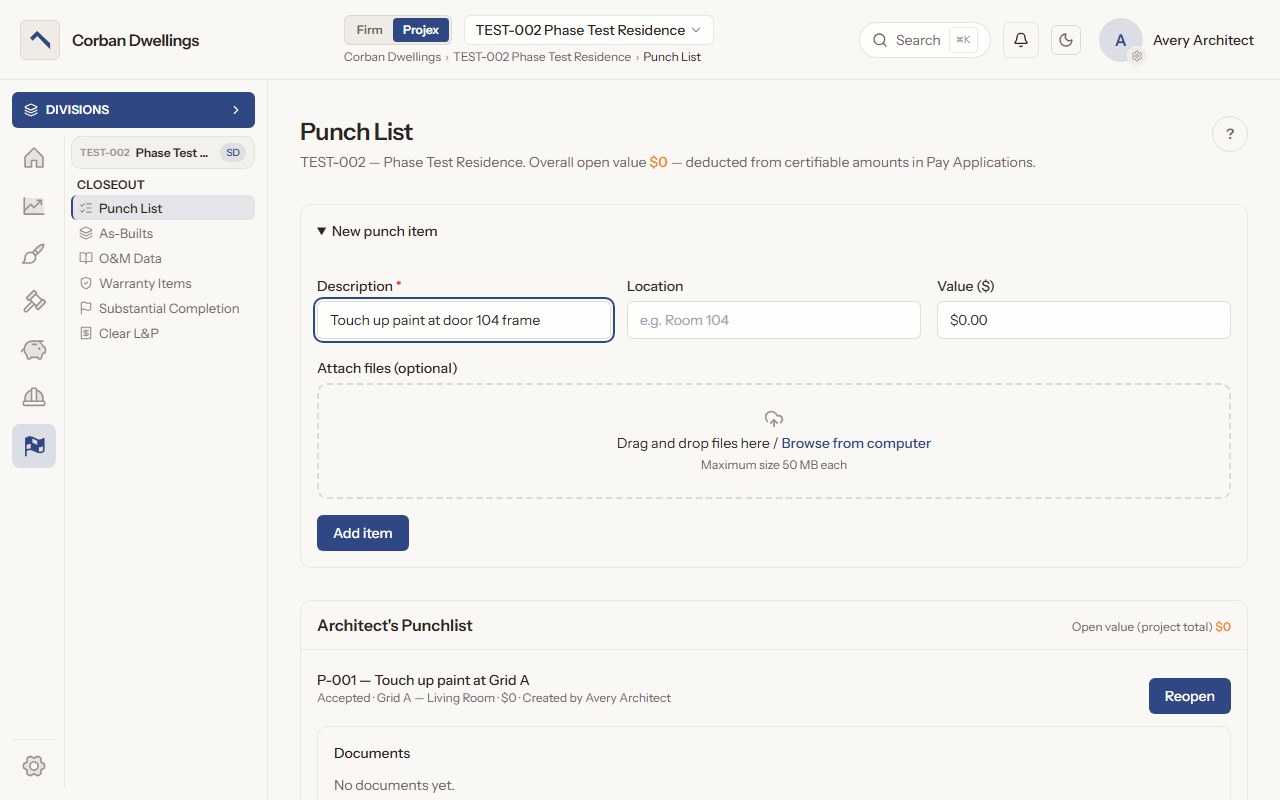
The New punch item form, with the Description, Location and Value boxes above the file drop box.
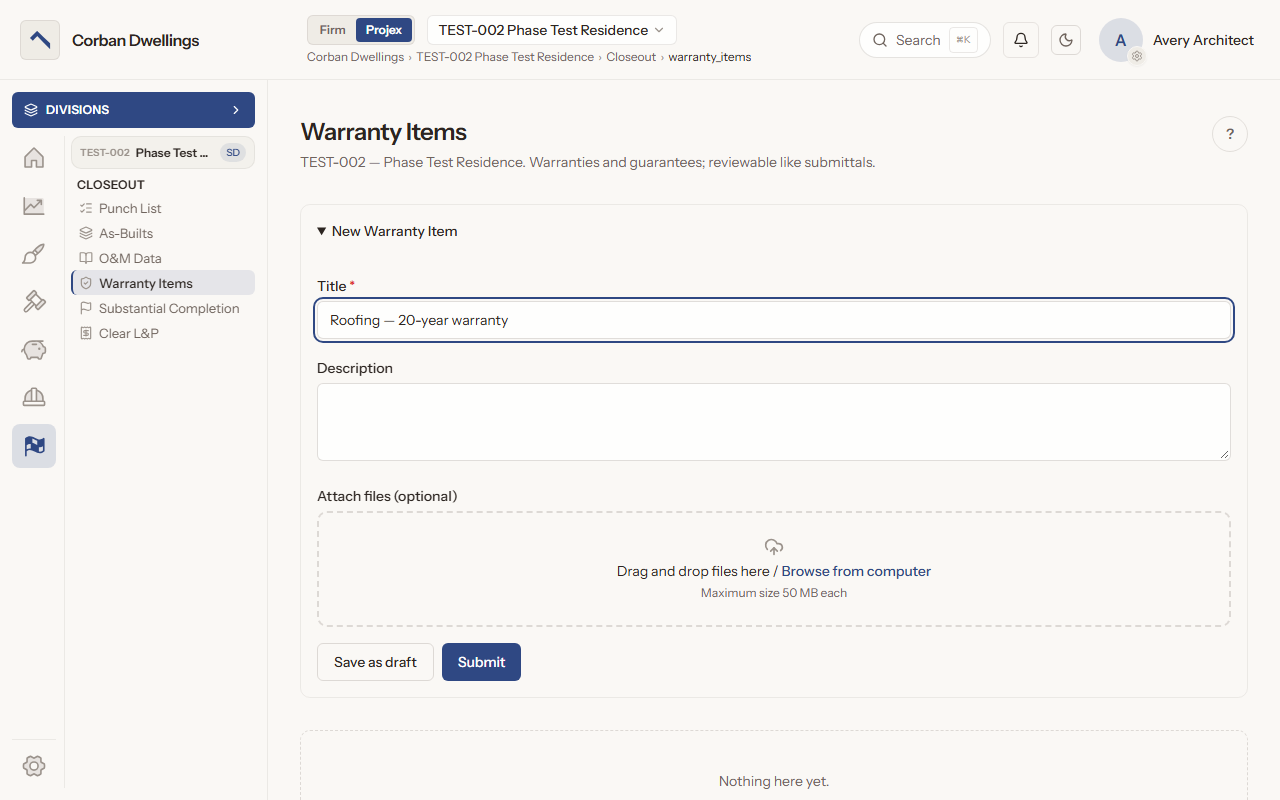
The New Warranty Item form, titled for a 20-year roofing warranty, with a description, the file box and the Save as draft and Submit buttons.
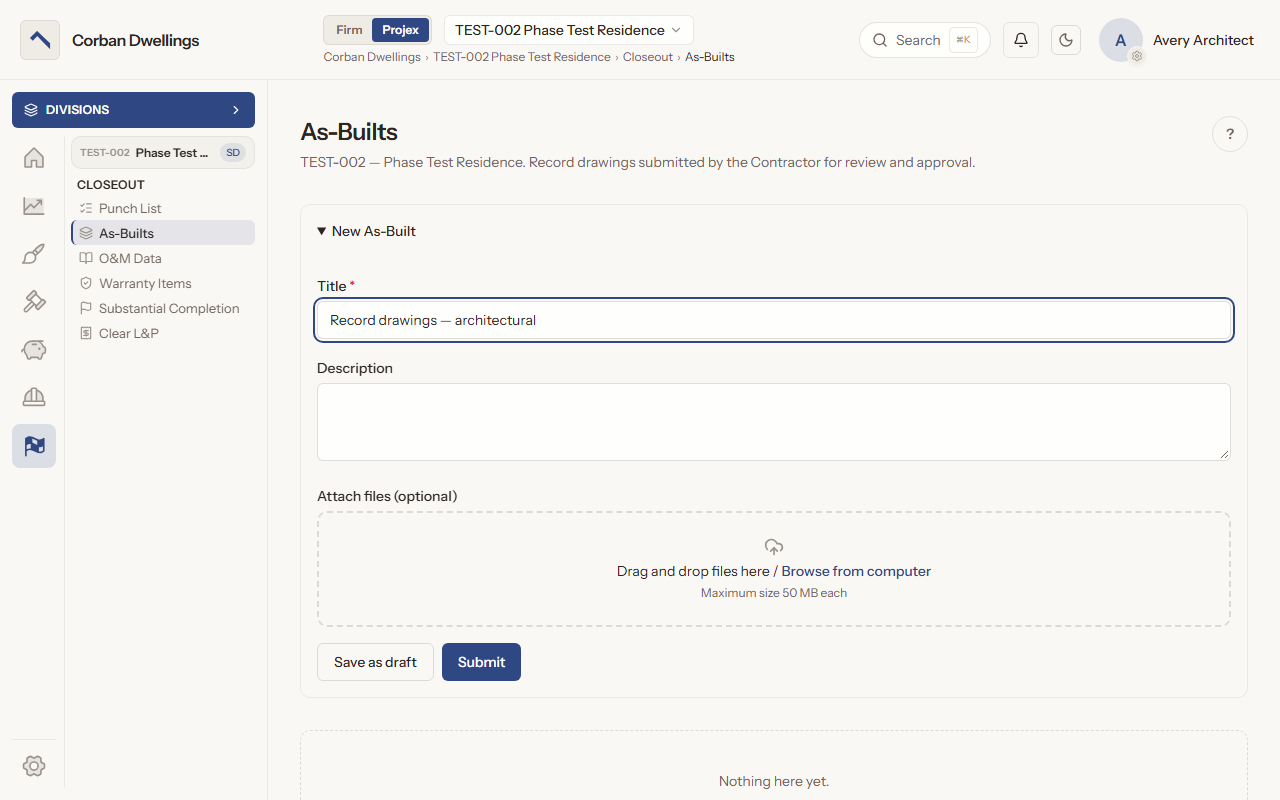
The New As-Built form, titled for the architectural record drawings, with a description, the file drop box and the Save as draft and Submit buttons.

Who uses it on the project

Your firm
Adds and prices punch items, accepts or reopens them, reviews and decides every closeout item, and sets the Substantial Completion date.
Contractor
Adds punch items and marks work completed, submits as-builts, O&M manuals, warranties and lien releases, and sends revised copies when asked.
Consultant
Adds punch items and marks work completed, without seeing values, and reviews the closeout items the architect sends them.
Client
Adds punch items under "Owner's Punchlist" by default, sees their values and reads the Substantial Completion date; other closeout items only when the firm gives access.

How it fits

  • Before: Pay Applications. The open value of the punch list is deducted from the amounts you can certify in pay applications.
  • All features in the order a project runs.

What it costs

Construction is $69 per active project, per month, à la carte, and it is included in ARK Unlimited. Contractors, consultants and clients take part free.

Punch List & Closeout Software for Architects | ARK Projex