Construction

Pay application software for architects

The contractor fills in the work completed on each Schedule of Values line, signs and submits. You review the application and certify the amount, with open punch list value held back.

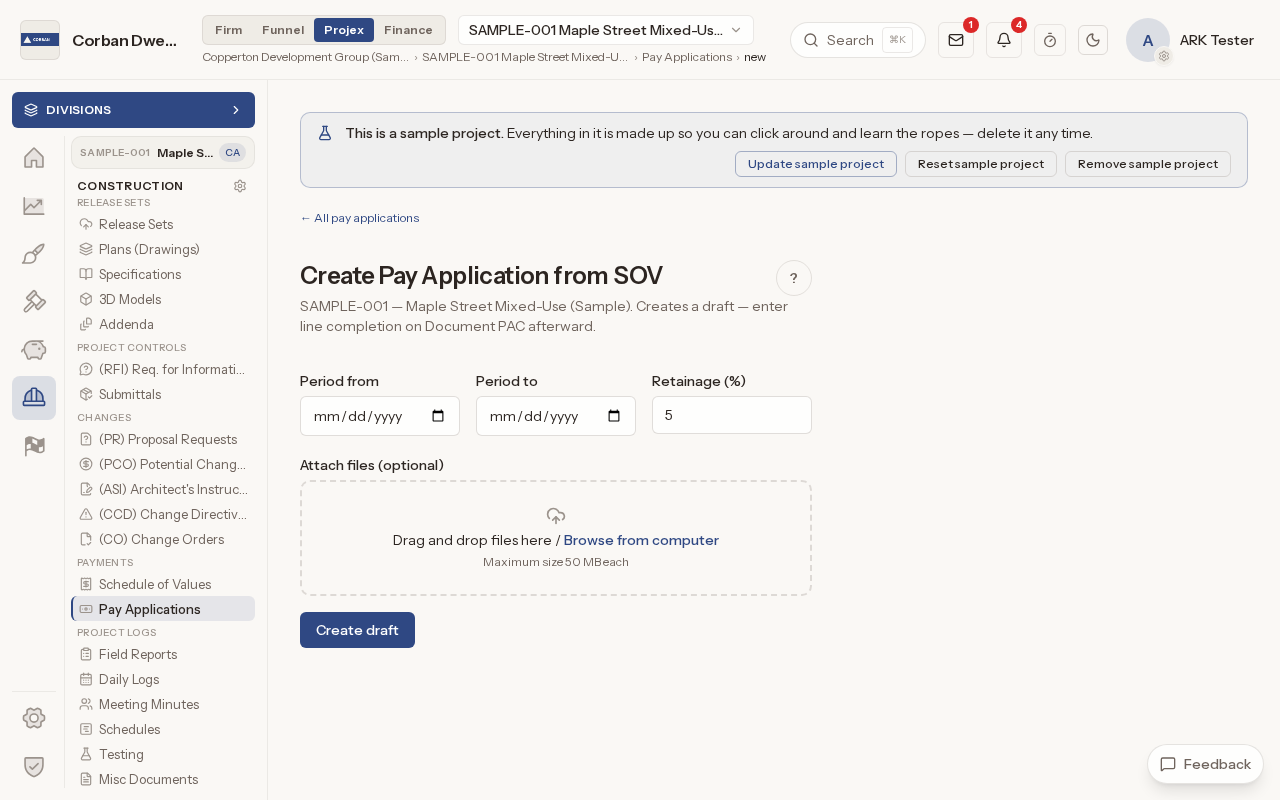
The Create Pay Application from SOV form, with the period dates, the retainage box and the file drop area.

What it does

What Pay Applications does

Schedule of Values from a G703

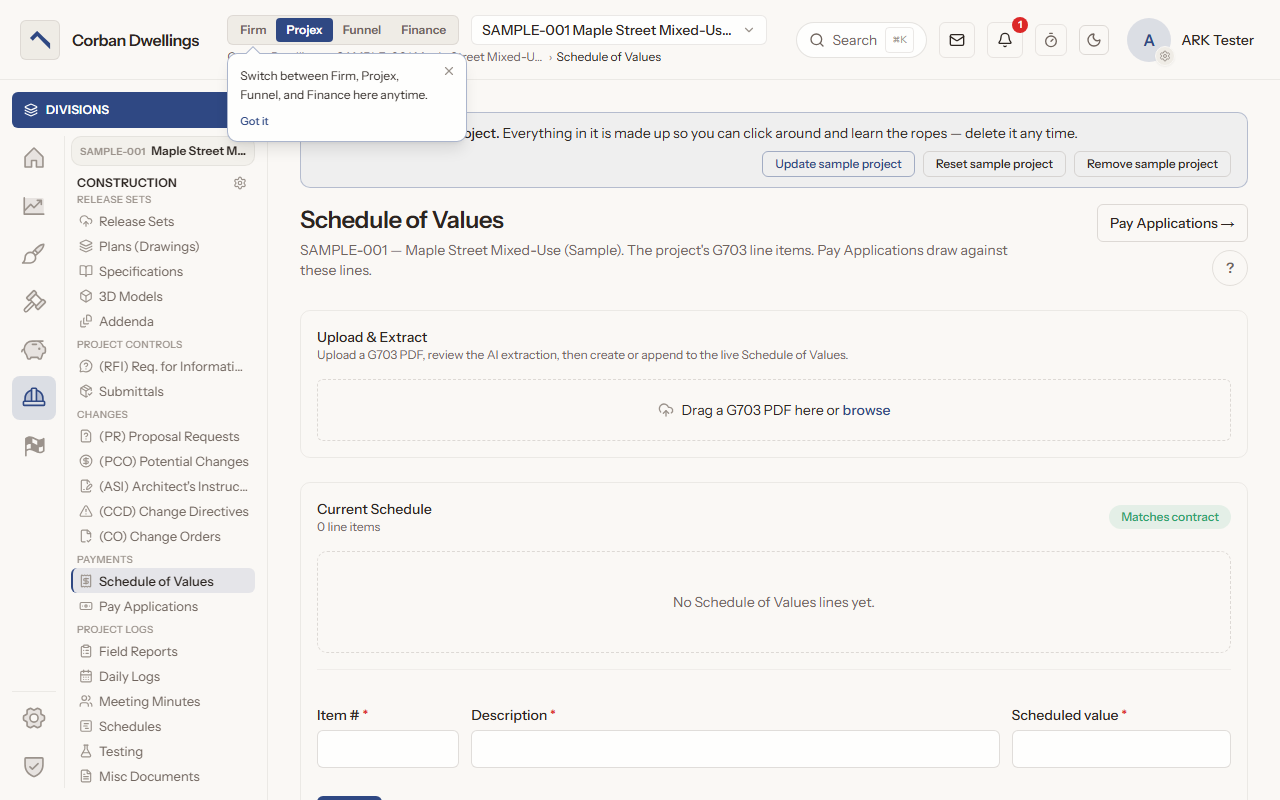
Upload a G703 PDF, check the AI-extracted lines under "Staged line items" and press "Create Schedule of Values", or type the lines in one at a time. A pill reads "Matches contract" when the lines add up to the current contract.
Pay applications billed line by line

In "Build SOV / Document PAC" mode the contractor enters the work completed on each line of the continuation sheet. In "PDF review (upload + certify)" mode they upload their own application instead, and the amount requested can be read from the PDF.

Contractor electronic signature

The contractor checks their name and title and presses "Sign & submit to Architect". Their saved signature image, or their typed name, signs the application, and each period can be billed only once.

Review and certify pay applications

A badge counts the days left for your review. Mark up the application in ARK View or Bluebeam, add review notes, then press "Certify" with the certified amount, or "Reject" to return it for revision. With two-part review on, only the Primary Architect certifies.

Retainage and punch list holdback

Each application carries its own retainage, and open punch list value is held back from what can be certified. On the last application, tick "This is the final pay application (release retainage)" to include the retainage held on earlier ones.

Keep billing in step with change orders

The current contract includes issued change orders. Until the Schedule of Values carries a change, its pill reads "Differs from current contract by" and the amount, so the lines and the contract never drift apart unnoticed.

Pay Applications on screen

Real screens from the sample firm every new ARK workspace starts with.

The Schedule of Values page, with the Upload & Extract area for a G703 PDF, the Matches contract check and the boxes for a new line.

Who uses it on the project

Your firm
Reviews and marks up each application, certifies it or returns it for revision, releases retainage on the final one, and closes certified applications.
Contractor
Sets up the Schedule of Values, creates each pay application, fills in the work completed, signs and submits, and resubmits after a return.

How it fits

  • Before: Change Management. Issued change orders move the current contract that the Schedule of Values is checked against.
  • After: Punch List and Closeout. Open punch list value is held back from each certification, and the final application releases retainage.
  • All features in the order a project runs.

What it costs

Construction is $69 per active project, per month, à la carte, and it is included in ARK Unlimited. Contractors, consultants and clients take part free.

Pay Application Software for Architects | ARK Projex