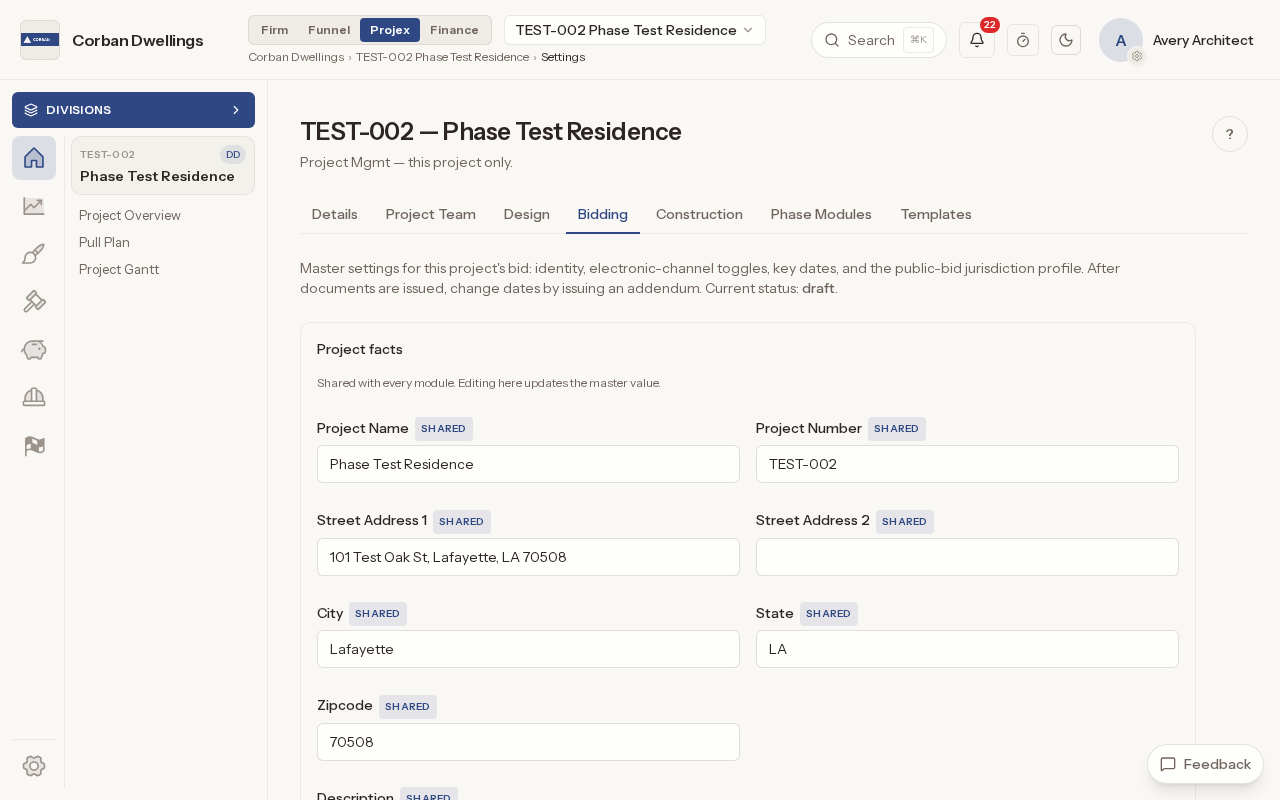
Publish bid documents to a public bid site
Upload the drawing sets (sheet numbers and titles are read from the file names), the Project Manual by section number and any informational items such as a survey or geotechnical report. Fill in the dates, bid delivery and bid security, check the "Ready to publish?" card and publish. A bid can be public, or private and opened only with a bid password you send to invited bidders.
Issue bid addenda to every planholder
Once the bid is published, the drawings and Project Manual lock and every change goes out as an addendum. An addendum stays a draft until you press "Issue": it is then numbered, dated, published to the bid page and e-mailed to every planholder. An addendum can also move the bid due date, and the bid setup changes with it.
Answer bidder questions and substitution requests
Bidder questions (BQ-001) and substitution requests (SUB-001) arrive in their own logs. Ask a consultant for advice first if you need it, then post the answer or the decision: "Approved", "Not approved" or "More info needed". Once the bid is published, every answer shows on the public bidding page for all bidders, without naming who asked.
Keep the planholder list and see who intends to bid
Record each firm that holds the documents, with its role and whether it intends to bid. Adding a firm with an e-mail address sends it an invite, publishing the bid e-mails the bid link to every planholder who does not have it yet, and general contractors who intend to bid are listed in the "Prime Bidders (intend to bid)" box. Firms can also register themselves on the bid site.
Sealed electronic bids and bid tabulation
Online bids stay sealed until the due time, unless you press "Open bids early", and ARK records who opened them and when. Type each bid into the tabulation yourself, including bids received on paper or by e-mail, accept alternates, and ARK ranks the totals and marks the low bid. Award the bid, choose how much of the result the bid site shows, and certify the tabulation.
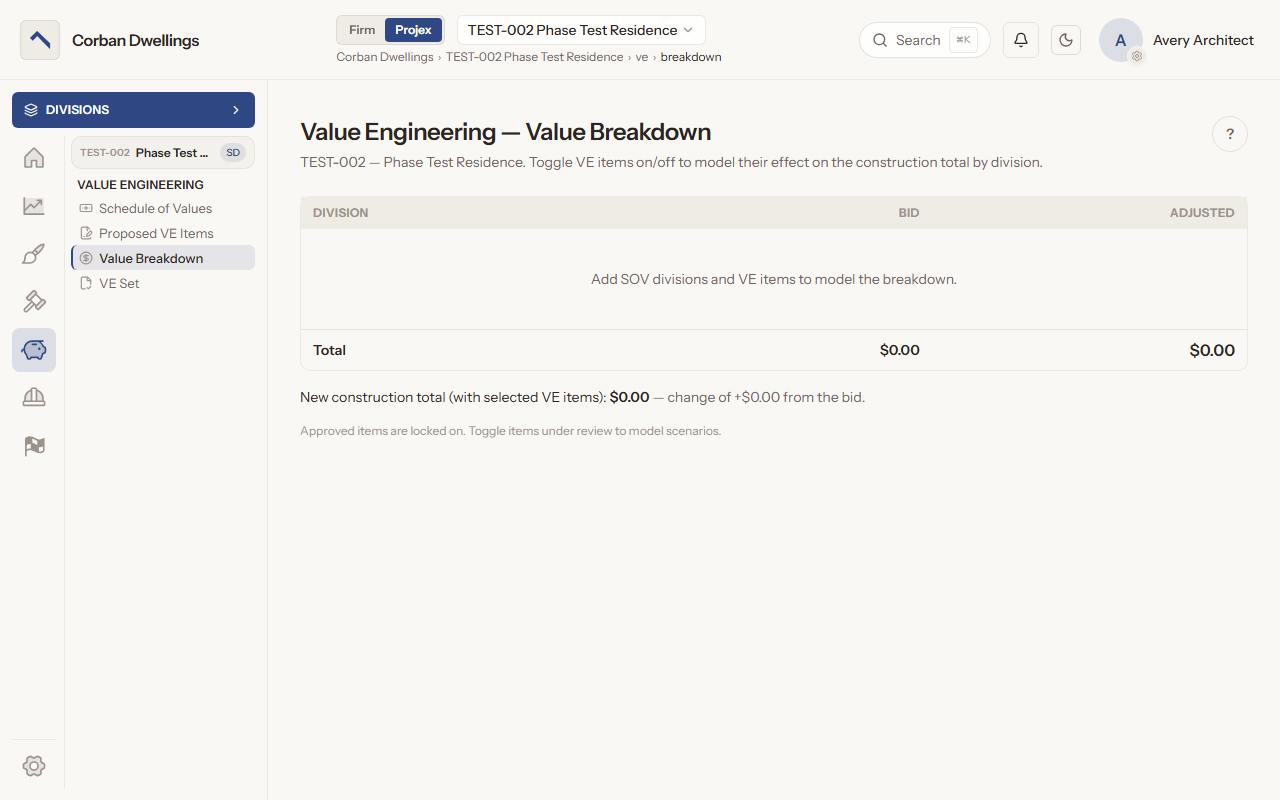
Value engineering log and VE tracking
Enter the bid's Schedule of Values by division, then take each VE idea from "Submitted" to "Priced" by the contractor, "Recommended" by the architect or a consultant, and the Owner's decision. The Value Breakdown shows the new construction total with items switched on or off, and the VE Log sums up the original total, the approved changes and the new total.