Construction

Change order management software for architects

Every change runs one chain: a Proposal Request asks for a price, the contractor's reply becomes a Potential Change Order, and accepted PCOs and approved directives are bundled into a Change Order that changes the contract sum and the completion date.

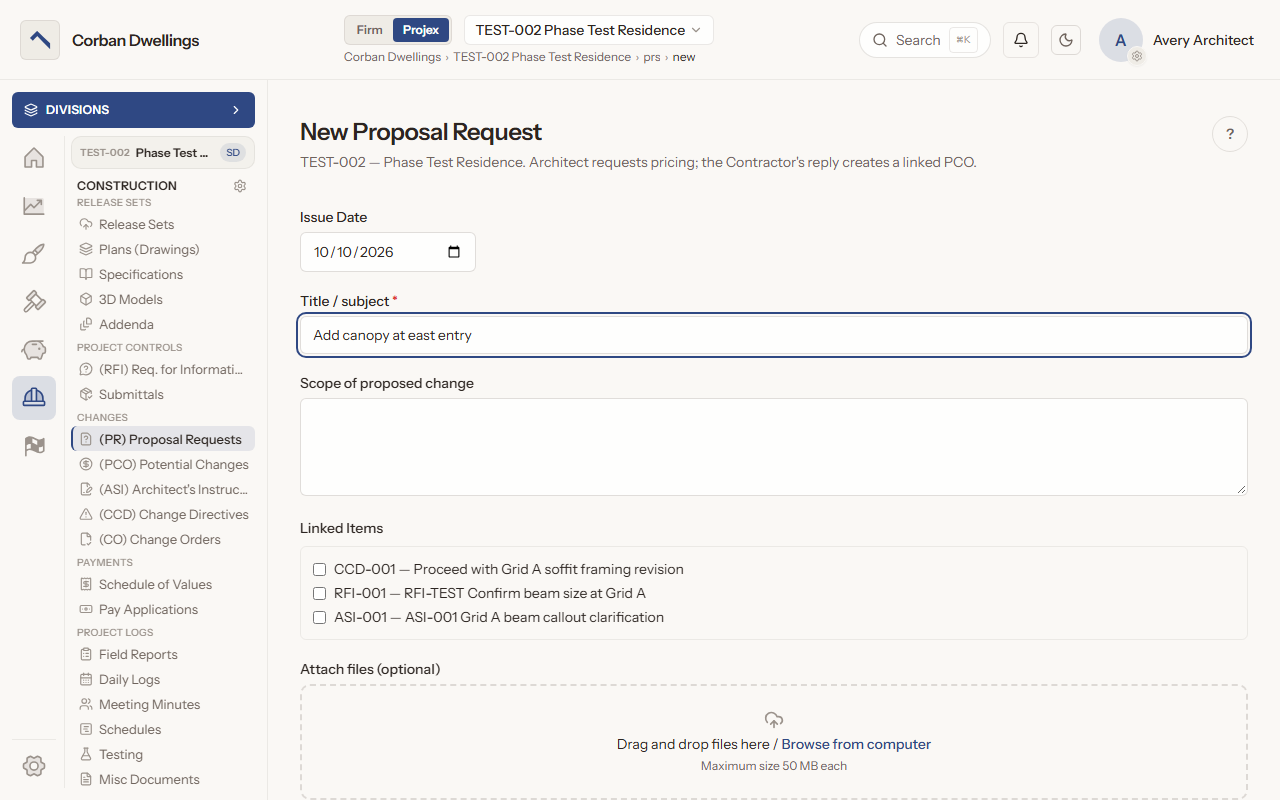
The New Proposal Request form, with the title, the scope of proposed change and linked items for a directive, an RFI and an ASI.

What it does

What Change Management does

Proposal requests that come back as priced PCOs

Send a Proposal Request with the scope of the proposed change and your sketches. The contractor's priced reply creates a Potential Change Order, and you accept it, reject it or press "Request revision" with a reason the contractor reads.
Review and negotiate potential change orders

A PCO carries the contractor's cost, days and reason. Press "Begin review", send it to a consultant if you need one, send suggested pricing back through "Suggested Revisions" as many times as needed, then "Accept" or "Reject". The "Review record" keeps every decision.

Architect's Supplemental Instructions (ASI)

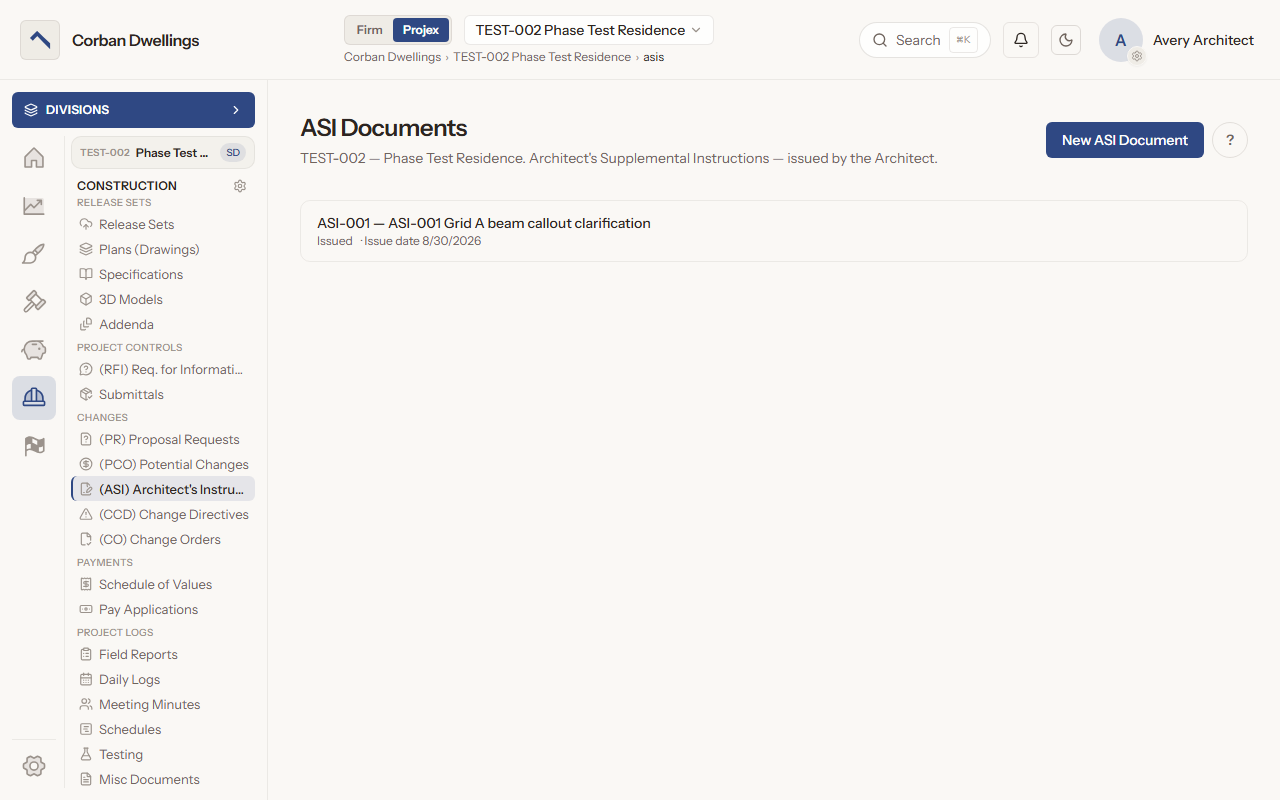
Issue an ASI for a minor change that does not change the contract sum or the time, with its sketches or revised sheets. Its files lock once it is issued, it prints as a change document, and "Create revision release set" carries revised sheets into the Plans & Specifications.

Construction change directives with a pricing method

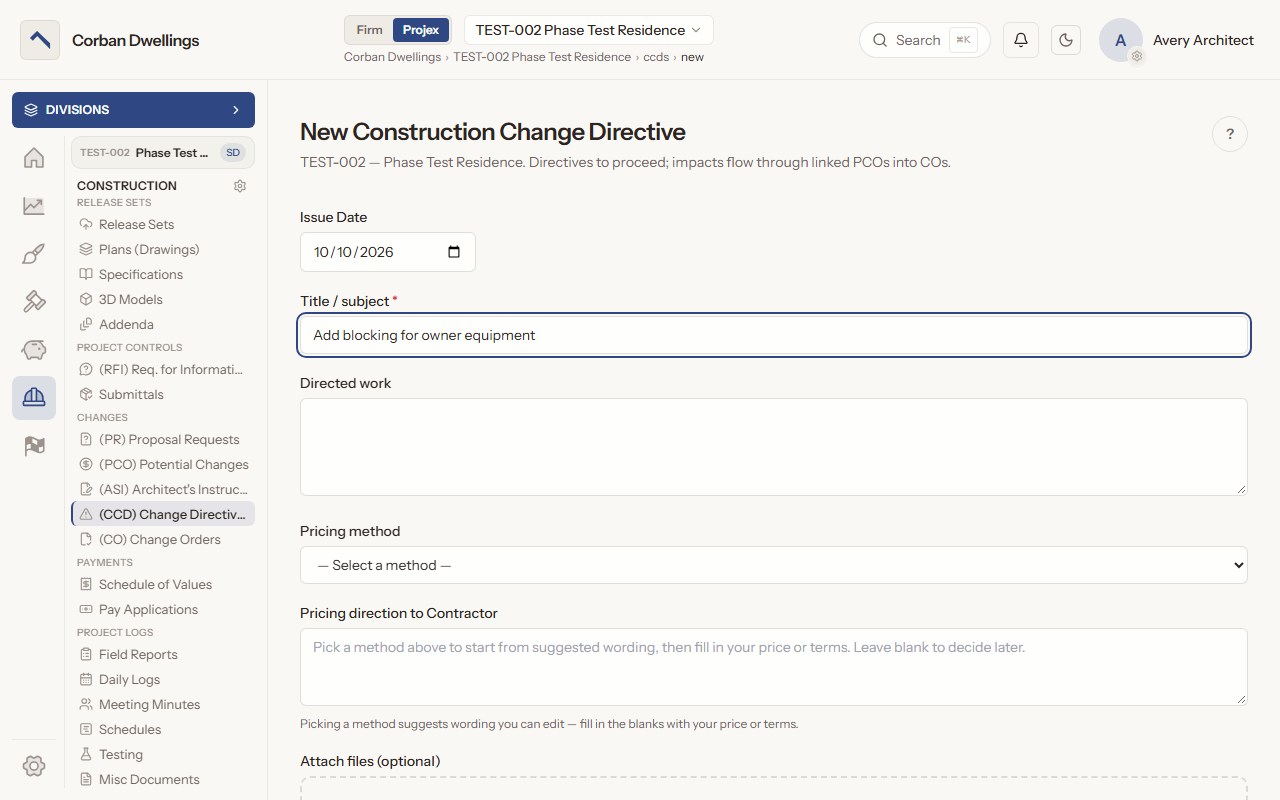
A directive tells the contractor to proceed before price and time are agreed, so it is issued only with a pricing method (lump sum, unit prices, cost plus, time and material, or custom) and its written direction. The contractor proposes a price afterwards and you approve it or send it back.

Bundle accepted changes into change orders

Press "New Change Order", tick the items under "Accepted PCOs" and "Approved CCDs" and press "Bundle into Change Order". Issue it with "Issue CO", or add a certification step by the Primary Architect, and print it with "Document PDF".

Track the contract sum and days to completion

The Change Orders page shows the contract at a glance: "Contract at NTP", "Net change by COs", "Current contract", "Adjusted completion date" and "Days remaining", which turns to "Days over / LD exposure" once the project is late.

Change Management on screen

Real screens from the sample firm every new ARK workspace starts with.

The New Construction Change Directive form, with the directed work, the pricing method and the pricing direction to the contractor.
The ASI Documents list on a sample project, with an issued ASI clarifying a beam callout.

Who uses it on the project

Your firm
Sends Proposal Requests, issues ASIs and directives, reviews and decides every PCO, approves directive pricing, and bundles and issues every change order.
Contractor
Prices Proposal Requests, creates and revises PCOs, prices directives and marks the work started and complete, and reads ASIs and issued change orders.
Consultant
Reviews the PCOs and directive scopes the architect sends them and returns a recommendation. The architect makes the decision.

How it fits

  • Before: RFIs. An answered RFI often leads to an ASI or a Proposal Request, and the RFI stays linked to the change.
  • After: Pay Applications. Issued change orders move the current contract that each pay application and the Schedule of Values are checked against.
  • All features in the order a project runs.

What it costs

Construction is $69 per active project, per month, à la carte, and it is included in ARK Unlimited. Contractors, consultants and clients take part free.

Change Order Software for Architects | ARK Projex