Construction

RFI management software for architects

The question, the files, the discussion, any consultant reviews and the formal answer stay together on one record. Every RFI carries a response due date, so late answers show on the list.

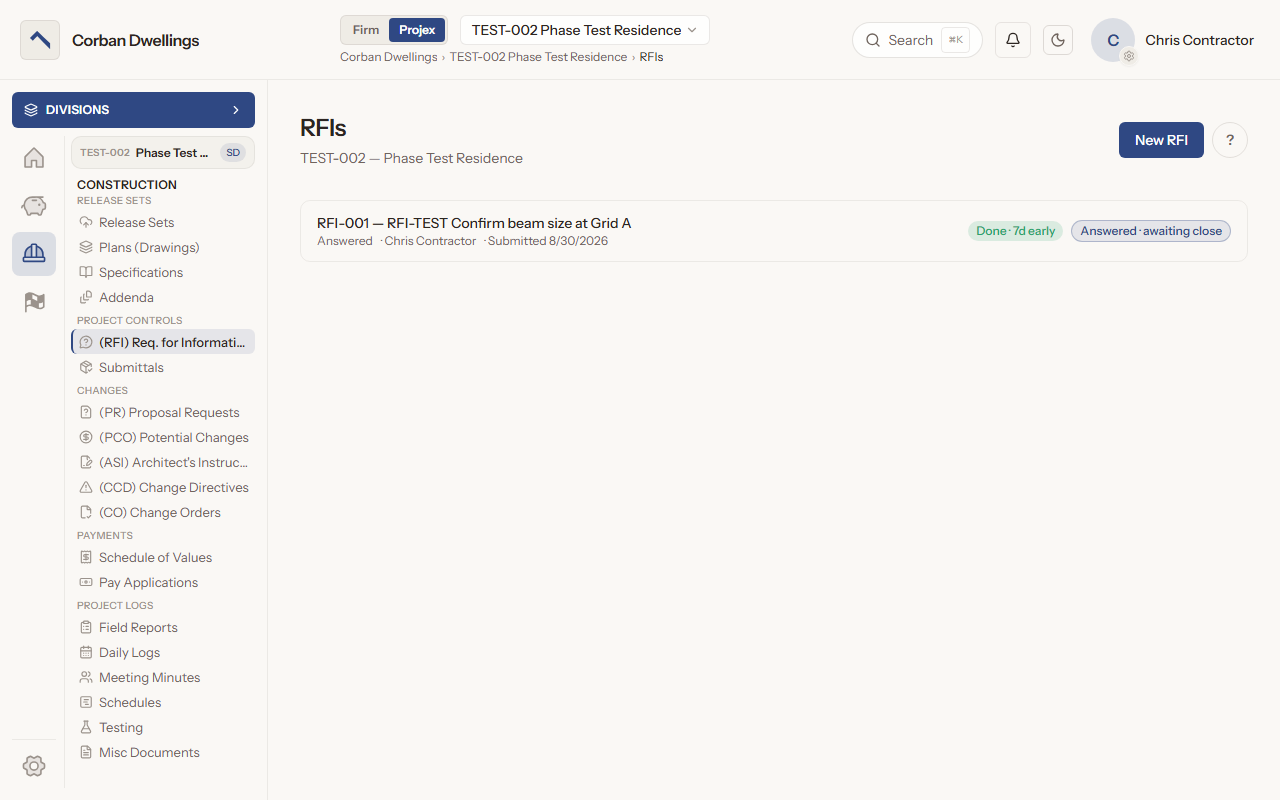
The RFI list on a sample project, with an answered RFI marked done seven days early and awaiting close.

What it does

What RFIs does

Track RFI response times and due dates

Each row on the RFI list counts down to the response due, such as "Due in 7d", or shows how late it is, such as "2d overdue". Once the answer is posted it shows how the answer did against the date: "Done · 7d early", "Done on time" or "Done · 2d late".
Contractor RFIs with attachments and urgency

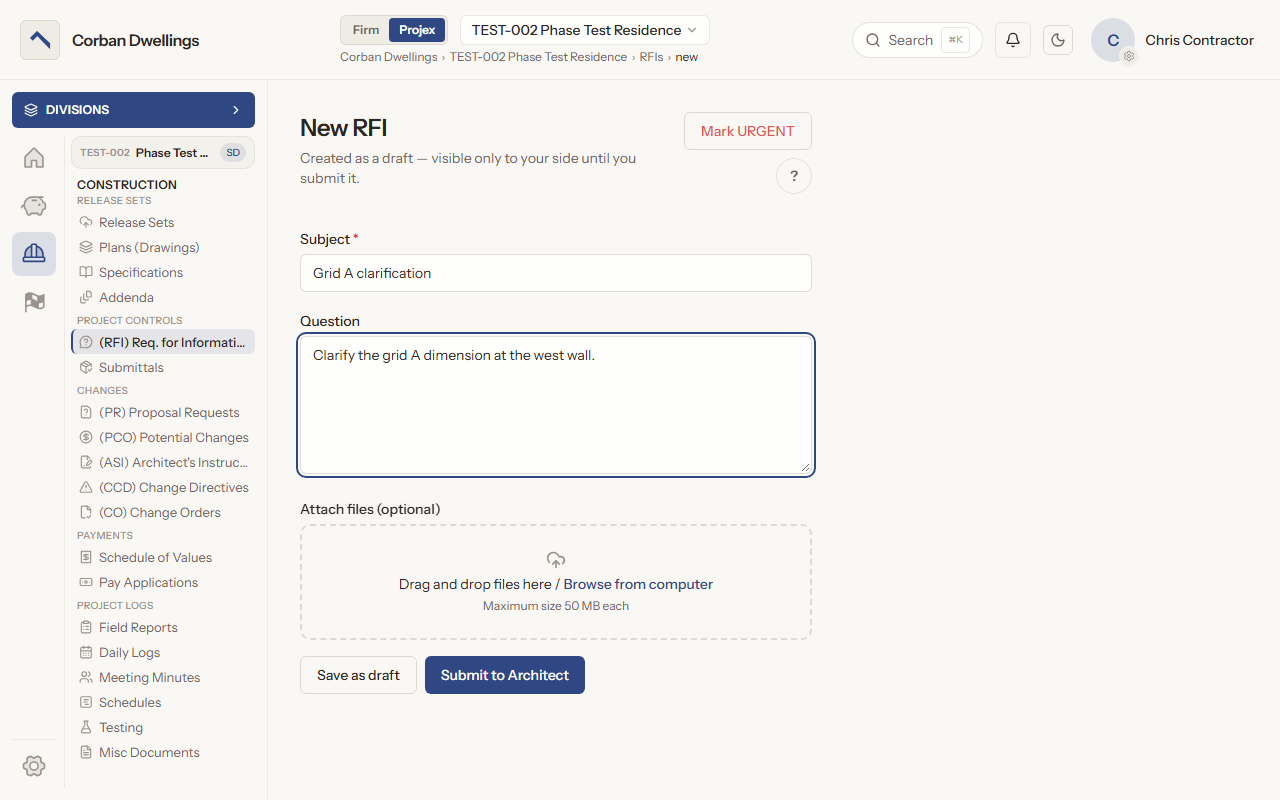
The contractor writes a subject and the question, attaches files and presses "Submit to Architect". A draft stays visible only to their side until it is submitted, and "Mark URGENT" flags a question that cannot wait. Your side can also log an RFI that arrived by email.

Route an RFI to consultants for review

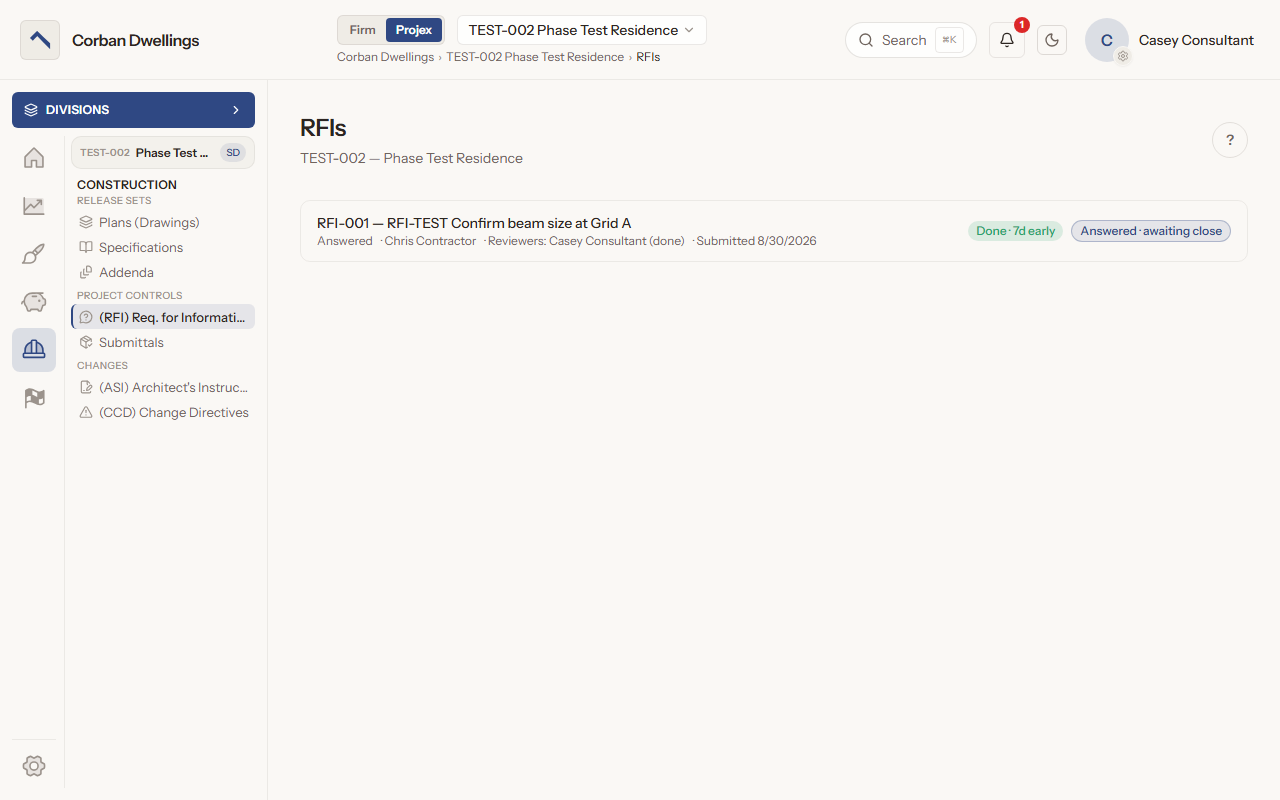
Press "Claim for review", tick one or more reviewers, set a due date inside the response window and press "Send to reviewers". Each reviewer gets a row with sent, due and returned dates, and you can move every open review's due date or recall the RFI.

AI-drafted RFI responses with sources

When the firm turns on AI Submittal Review, the "AI Assistant" gathers project context and suggests a cited draft, with the sources it used listed under it. It never posts or changes the RFI: you edit the text and post the answer yourself.

Post the formal answer, then close or reopen

Write the answer and press "Post answer". The list shows "Answered · awaiting close" until you press "Close", or the RFI closes by itself if the project is set to auto-close. "Reopen" brings back the earlier answer, ready to change and post again.

Link RFIs to ASIs, submittals and change items

Under "Linked items", link an RFI to an ASI, a submittal or another RFI. A Potential Change Order can link to an RFI too, so the question stays tied to the change it led to.

RFIs on screen

Real screens from the sample firm every new ARK workspace starts with.

The New RFI form, with the Subject and Question boxes, the file drop area, the Mark URGENT button and Submit to Architect.
The RFI list as a consultant sees it, with the consultant's review marked done on an answered RFI.

Who uses it on the project

Your firm
Claims each RFI, sends it to reviewers, drafts with the AI Assistant, posts the formal answer, and closes or reopens it.
Contractor
Starts and submits RFIs, marks them urgent, links and comments, and follows each answer. While a consultant has it, the status reads "Under Review".
Consultant
Sees the RFIs sent to them with their own review row and due date, adds notes and presses "Complete review". The architect writes the official answer.
Client
Reads the question, the answer and the discussion when the firm gives the client's role access, and comments if the role allows.

How it fits

  • Before: Drawings and Specifications. Questions about the drawings and specifications in your published set come back to you as RFIs.
  • After: Change Management. An RFI links to the ASI or Potential Change Order that grew out of its answer.
  • Connects to: Procore. Pull the GC's Procore RFIs and submittals into ARK with their files, review them in ARK, and send back only your RFI answers and submittal responses.
  • All features in the order a project runs.

What it costs

Construction is $69 per active project, per month, à la carte, and it is included in ARK Unlimited. Contractors, consultants and clients take part free.

RFI Software for Architects | ARK Projex