Construction

Field report and daily log software for architects

Record each site visit as a field report and issue it to the contractor. The contractor's daily logs, test results, schedules and project paperwork sit beside it in the same project logs.

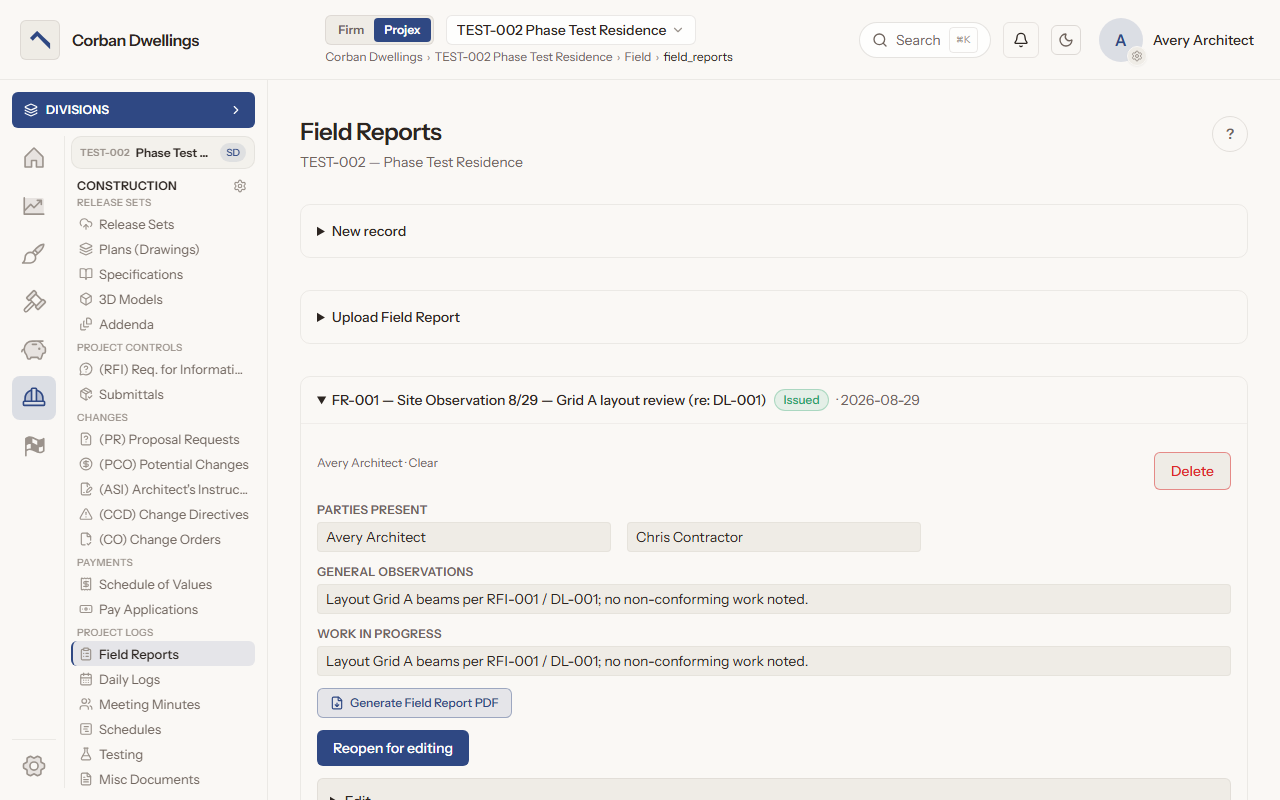
An issued field report on a sample project, with the parties present, general observations and work in progress, and the Generate Field Report PDF and Reopen for editing buttons.

What it does

What Field Reports does

Write site observation reports

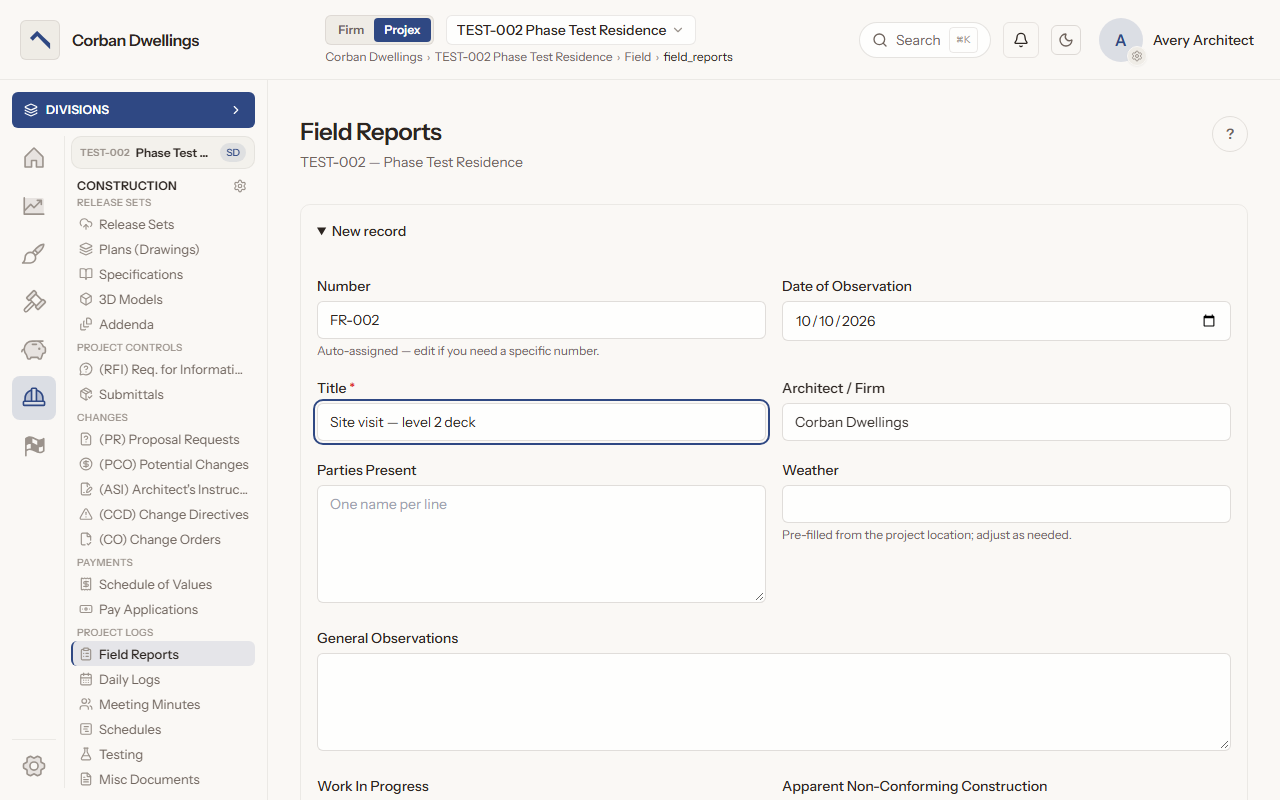
Press "New record": the number, the date of observation and your firm's name are already filled in, and the weather comes from the current weather at the project's town. Add the parties present, general observations, work in progress and apparent non-conforming construction, with photos and documents attached.
Issue field reports to the contractor as a PDF

A report stays a draft until you press "Submit as final", and the contractor side is alerted when it is issued. "Generate Field Report PDF" produces the report as a PDF, and "Reopen for editing" takes an issued report back to draft. You can also upload a finished report as a PDF, Word or image file.

Track non-conforming work to resolution

Add a non-conforming item to a report with a description and location. The contractor marks it fixed, and the architect confirms it and closes it with a resolution comment.

Contractor daily logs with the weather

The contractor logs each day: the date, the weather, the work performed, crew and equipment, with photos and files for that day. Entries are listed newest day first.

Testing and inspection reports

Keep the results of outside testing and inspection, such as concrete cylinder tests or special inspections, with the date, the findings and the lab's or inspector's report attached.

Construction schedules and project paperwork

Keep each schedule the contractor issues, the baseline and every update, with notes on what changed. Permits, insurance certificates and letters go in Miscellaneous Documents, each as its own record with its file.

Field Reports on screen

Real screens from the sample firm every new ARK workspace starts with.

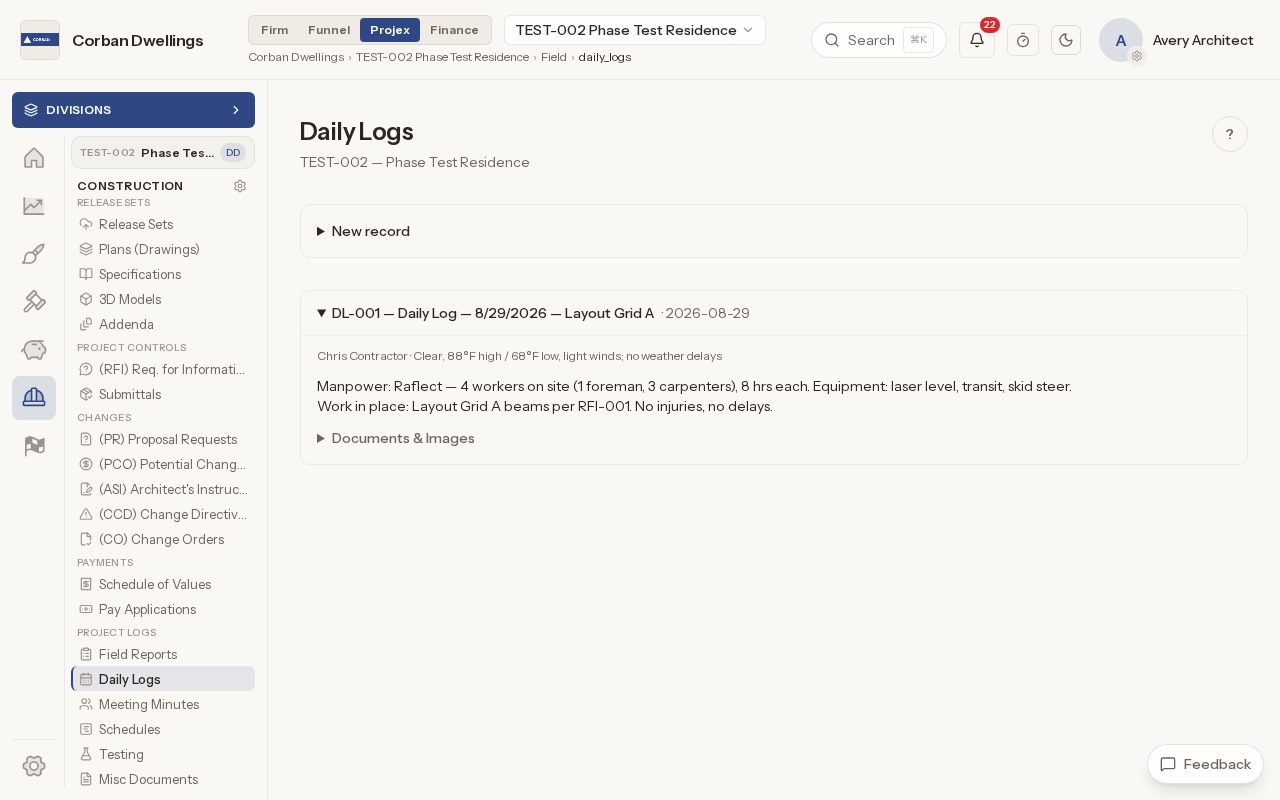
The Daily Logs list with one entry showing the weather, the crew on site, the equipment and the work in place.
The New record form for a field report, with the number, date of observation and firm already filled in.
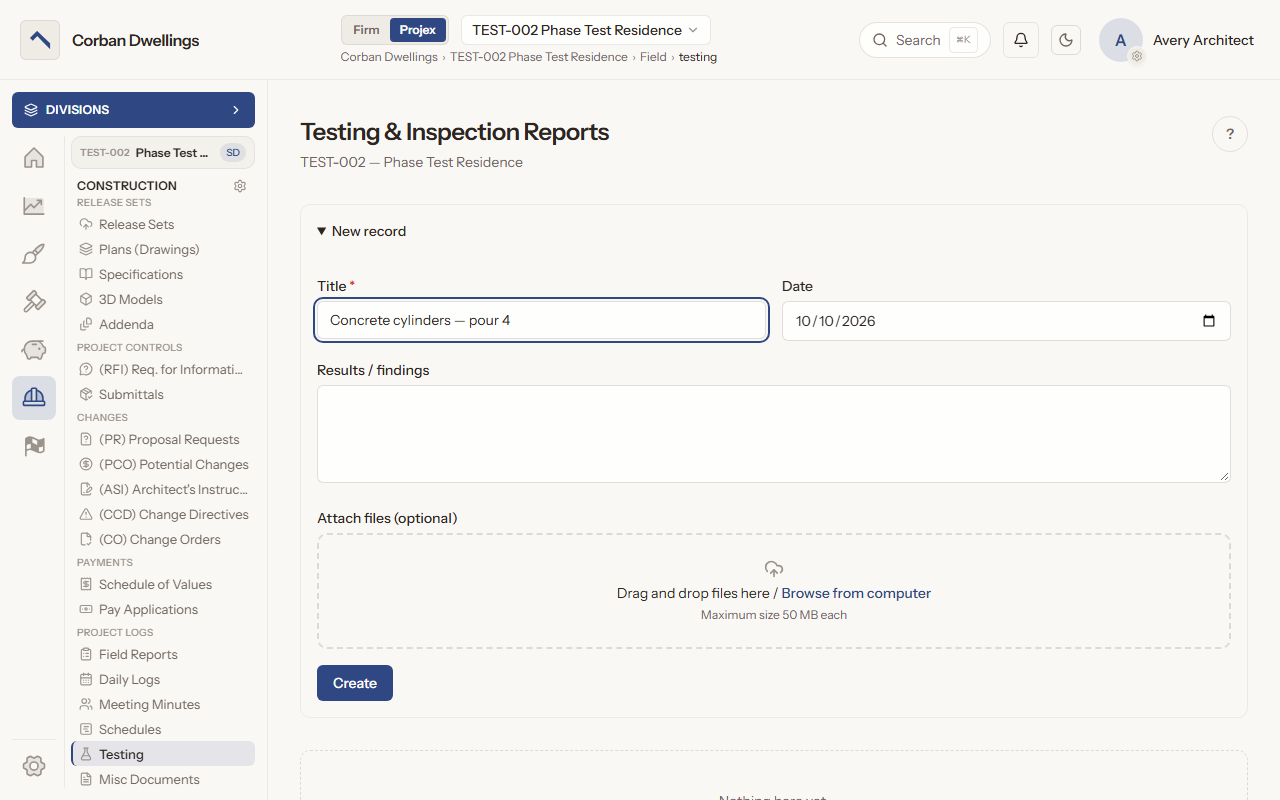
The New record form for a testing and inspection report, titled for a concrete cylinder test, with the results box and file drop box.

Who uses it on the project

Your firm
Writes, issues, corrects and reopens field reports, confirms non-conforming items resolved, and adds entries to the other project logs.
Contractor
Logs each day, posts schedules and adds test reports and documents when their role allows; reads issued field reports and marks non-conforming items fixed.
Consultant
Reads issued field reports, test reports, schedules and miscellaneous documents when the firm gives them view.
Client
Reads issued field reports and their PDFs, and the posted construction schedules, when the firm gives the client's role view.

How it fits

What it costs

Construction is $69 per active project, per month, à la carte, and it is included in ARK Unlimited. Contractors, consultants and clients take part free.

Field Report Software for Architects | ARK Projex