Finance, alongside every phase

Timesheet and expense software for architects

Everyone records the week by project phase, overhead and time off, then submits it. Expenses go in with a receipt and wait for a project manager or Finance to approve them.

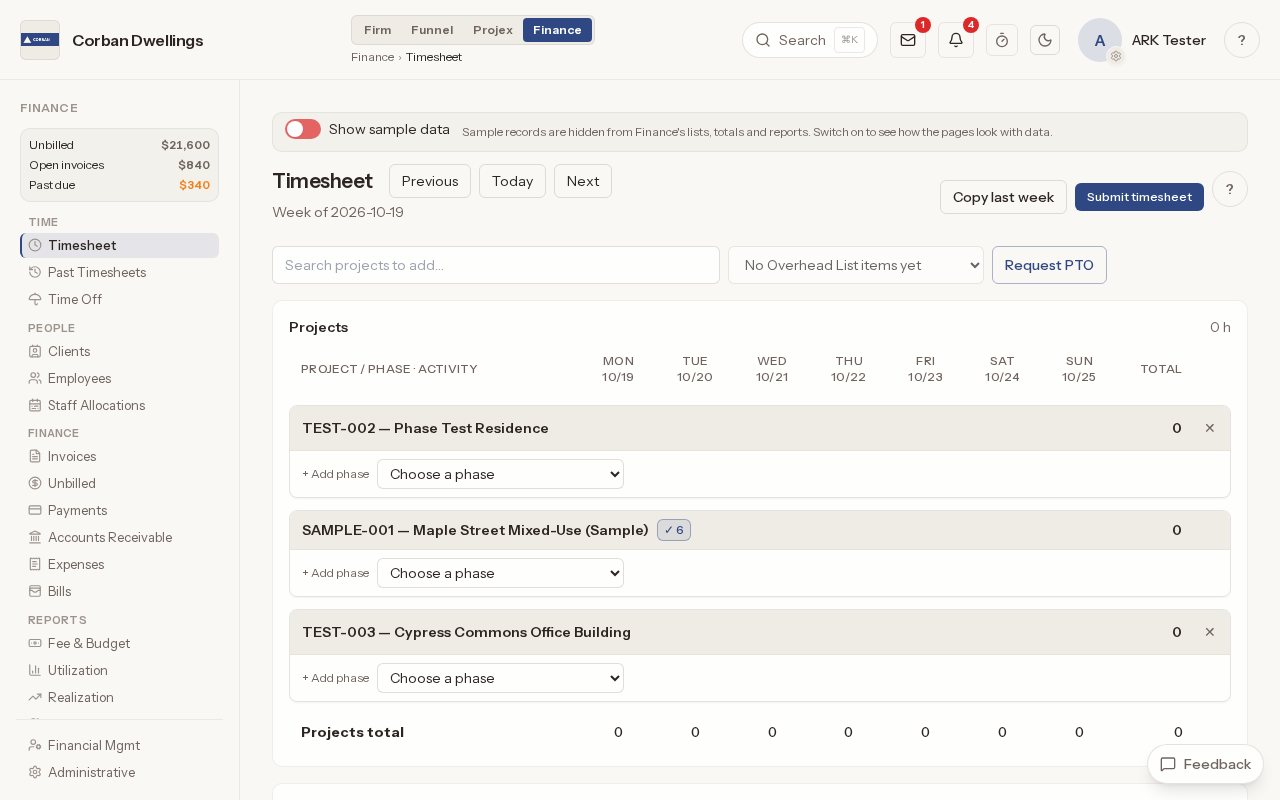
This week's timesheet, Monday to Sunday, with a row for each project and a choice to add a phase under each, beside Copy last week, Submit timesheet and Request PTO.

What it does

What Timekeeping & Expenses does

Weekly timesheets by project and phase

Record the week, Monday to Sunday, by project phase and activity, plus overhead, holidays and time off. Each box saves itself, "Copy last week" fills the empty boxes, and each person's role and rate set the bill rate and cost of their hours.
Log hours against Pull Plan cards

A project row shows how many open Pull Plan cards you own or help on that week. Open them to mark a card done or log hours against it with a note.

Timesheet approval for architecture firms

When the firm requires weekly time approval, each person presses "Submit week" and an approver approves it or returns it with a note. Only approved time goes on an invoice; time still waiting shows on the reports as pending.

PTO tracking and firm holidays

Set up time-off packages with a yearly amount or hours earned monthly or by hours worked, each "Ask permission" or "Self report". People see the hours left, used and pending and send requests for approval, and firm holidays fill every timesheet on their date.

Employee expense tracking with receipts and mileage

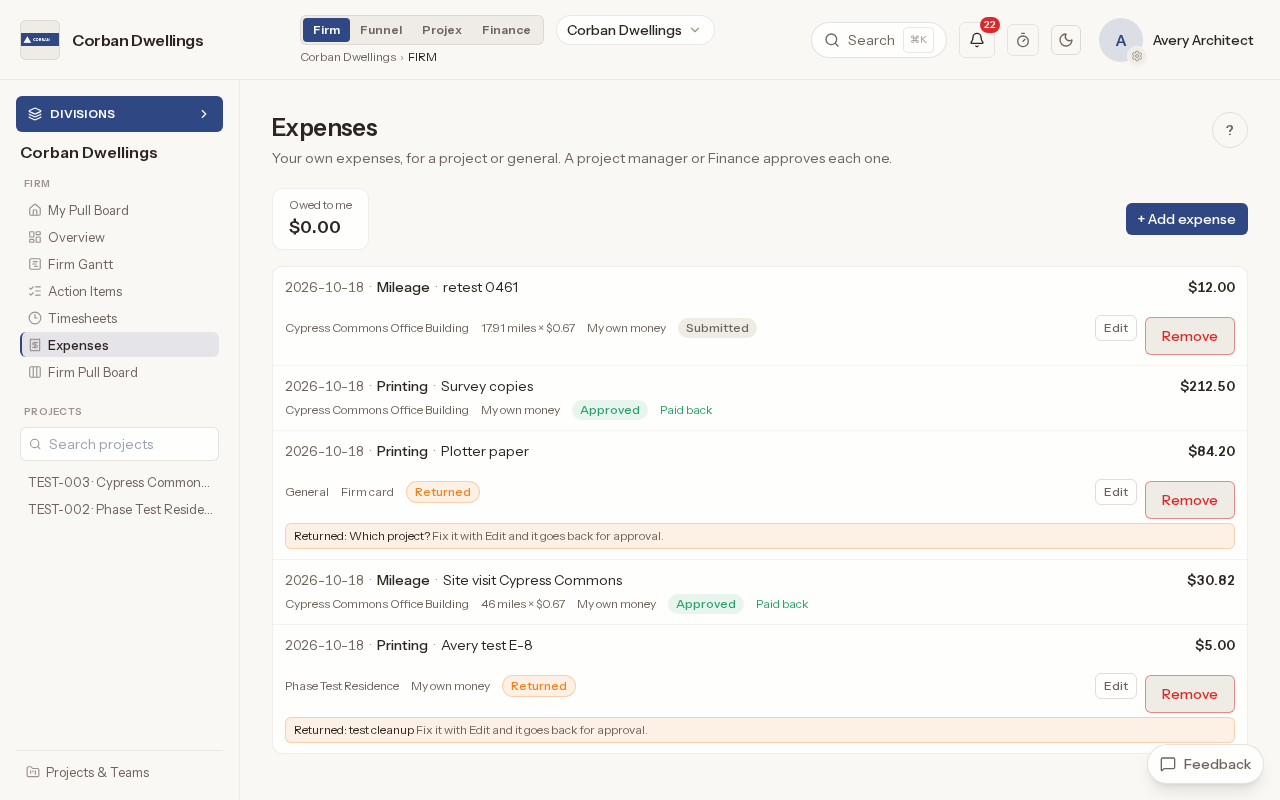
Log an expense against a project or as general, say whether it was paid with "My own money" or the "Firm card", and attach a photo or PDF of the receipt. For mileage, type any two of miles, rate and amount and the third is worked out.

Approve expenses and reimburse employees

A project manager or Finance approves each expense or returns it with a note. "Owed to employees" totals what the firm owes each person, and "Mark paid" records the payment back; ARK does not send the money.

A Staff seat for drafters, interns and field staff

A Staff seat covers a person's own timesheets and expenses and the hands-on work they are assigned. Anyone who runs projects, construction administration or Finance needs a Full seat.

Timekeeping & Expenses on screen

Real screens from the sample firm every new ARK workspace starts with.

A person's own expenses, each with its project, how it was paid and whether it is submitted, approved and paid back, or returned with a note.

Who uses it on the project

Your firm
Everyone with a seat keeps their own timesheet and logs expenses. Approvers approve or return weeks; Finance approves time off and expenses, opens anyone's past weeks and records what is paid back.

How it fits

  • Before: Design management. Hours can be logged straight from the Pull Plan cards you own on a project.
  • After: Invoicing & Financials. Approved hours and project expenses are what the invoice workflow bills.
  • Connects to: QuickBooks Online. Send issued invoices and new clients from ARK to QuickBooks Online, pull payments back every hour, and choose the QuickBooks item each invoice line uses.
  • All features in the order a project runs.

What it costs

Finance is $59 per Full seat, per month, à la carte, with $34 Staff seats for people who log time and do the work they are assigned. It is included in ARK Unlimited.

Timesheet Software for Architects | ARK Projex