Construction

Submittal log software for architects

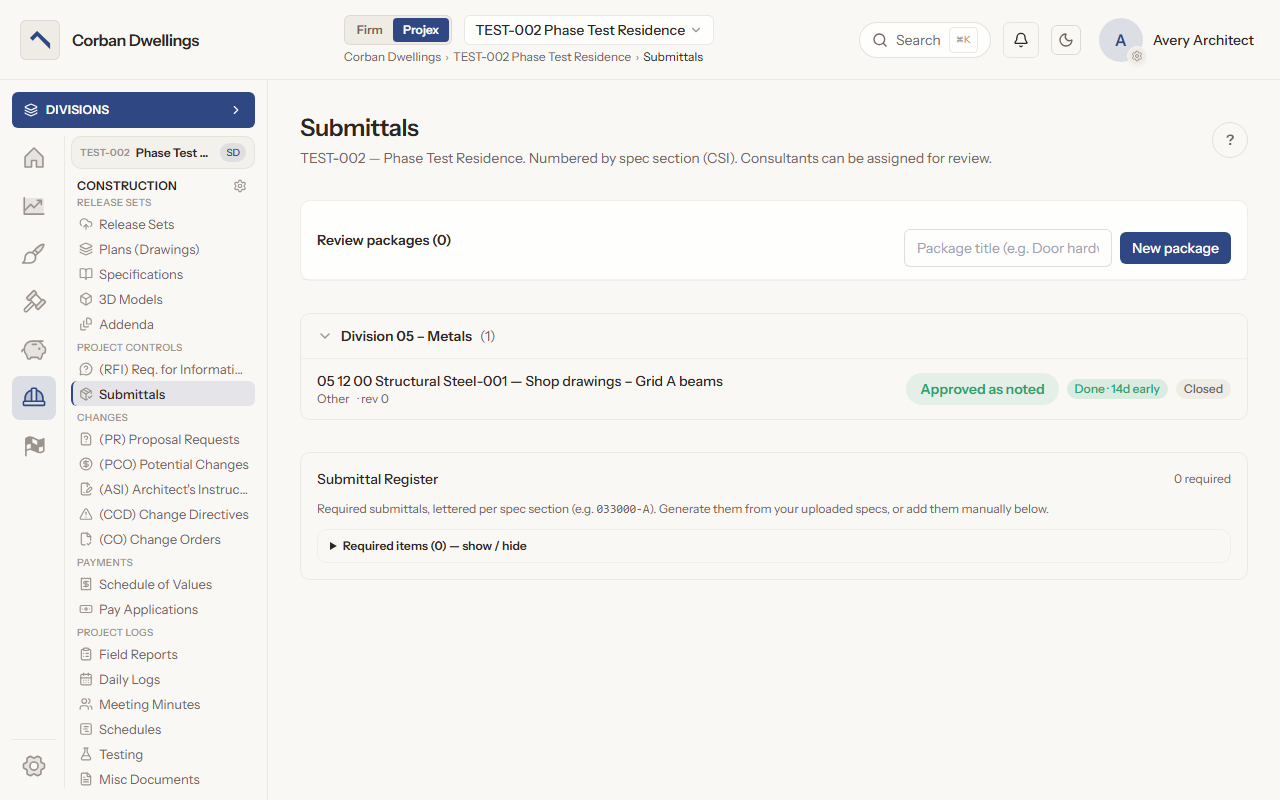
The contractor submits, you review (with a consultant when you need one) and issue the determination. Every revision, markup and decision stays on one record, grouped by CSI division.

The Submittals list for the architect, with review packages, an approved-as-noted structural steel submittal and the Submittal Register.

What it does

What Submittals does

A submittal register built from your specifications

Build the Submittal Register from the project's published specifications with "Generate from uploaded specs", upload a specification schedule PDF, or add required items one at a time. Each item is lettered per spec section, such as 033000-A, and the contractor ticks them off when submitting.
Review and stamp shop drawings in the browser

Press "Begin review", mark up the document in ARK View (or in a Bluebeam Studio Session if your firm uses Bluebeam), write review notes and issue a determination: Approve, Approve as noted, Revise & resubmit, Reject, Submit Revised Copy or Submittal not required.

Resubmittals become the next revision

After "Revise & resubmit" the submittal waits on the contractor's revised copy, which becomes the next revision on the same record, with the earlier revisions and determinations kept.

Route a submittal to a consultant

Press "Send to Consultant/Other", pick the reviewer and an optional due date. The consultant marks up the document and returns a recommendation; you still issue the determination, with their recommendation in front of you.

AI submittal review against your specs

When the firm turns on AI Submittal Review, the "AI Review" card checks the submittal against the linked specifications and lists findings by spec section: the requirement, the evidence, the gap and a suggested comment. Tick the ones you agree with and add them to your review notes. A person always issues the determination.

Review packages

Group related submittals into a review package, send the whole package to one reviewer, and apply the one decision to every submittal in it.

Submittals on screen

Real screens from the sample firm every new ARK workspace starts with.

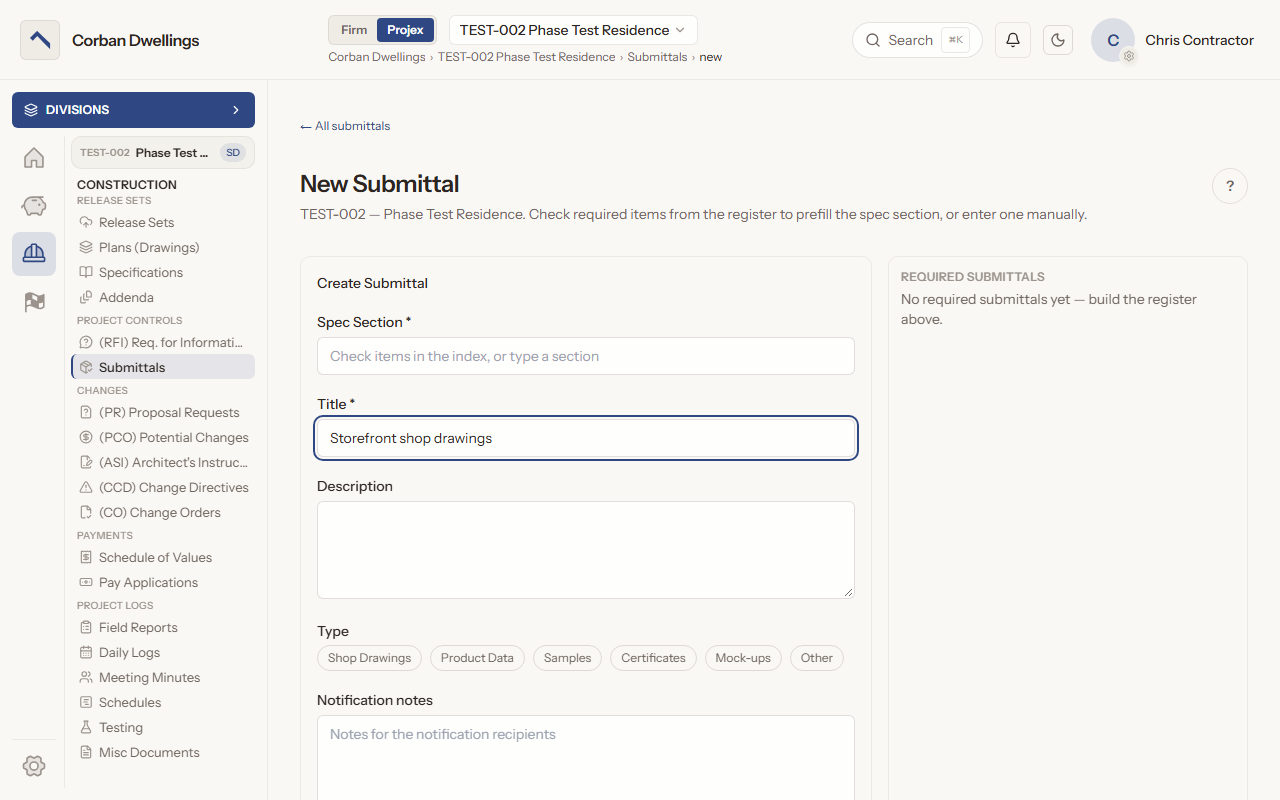
The New Submittal form, with the spec section, title, description and submittal type boxes beside the Required Submittals panel.

Who uses it on the project

Your firm
Begins reviews, marks up, links spec sections, routes to consultants, builds packages and issues every determination.
Contractor
Submits new submittals and revised copies, ticks register items, and reads each determination and its history.
Consultant
Sees the submittals sent to them as "Ready for review", marks them up and returns a recommendation.
Client
Reads the submittals and their determinations when the firm gives the client's role access.

How it fits

  • Before: Drawings and Specifications. The register is built from the specifications in your published release set.
  • After: RFIs. Questions about the documents go to RFIs, with the same consultant routing.
  • Connects to: Procore. Pull the GC's Procore RFIs and submittals into ARK with their files, review them in ARK, and send back only your RFI answers and submittal responses.
  • All features in the order a project runs.

What it costs

Construction is $69 per active project, per month, à la carte, and it is included in ARK Unlimited. Contractors, consultants and clients take part free.

Submittal Log Software for Architects | ARK Projex